
Hiring in the GCC moves fast: a new branch opens, a warehouse needs ten pickers before peak season, or a key salesperson resigns with a month's notice. Most growing companies still run this on shared inboxes, CV folders and WhatsApp threads, so good candidates slip away and managers can't see where each role stands. Odoo 19 Recruitment puts every job, application, interview and offer in one pipeline that links straight into Employees, so the person you hire becomes an employee record without retyping anything. This guide walks through a practical setup, using an invented Dubai distributor, Gulf Horizon Trading LLC, as the example.
Step 1: Install Recruitment and Review the Settings
Install Recruitment from the Apps menu. It brings in Employees automatically if you don't have it yet. Then open Recruitment › Configuration › Settings and decide which options fit your process. Typical choices are:
- Interview forms: use Surveys to run a standard screening questionnaire per job.
- CV display: show the attached CV directly next to the application so reviewers don't download files.
- Online posting and website job pages: if the Website app is installed, every published job gets an apply page on your careers site.
- Salary package / offer options (Enterprise): lets you generate an offer link from the application, where the candidate reviews the proposed package.
Before going further, make sure your departments and managers exist under Employees › Departments. Recruitment uses them for job positions, and interviewers need user accounts to receive interview activities.
Step 2: Create Job Positions
Go to Recruitment › Configuration › Job Positions (or click New on the Recruitment dashboard). For each opening, fill in the department, job location, employment type, recruiter, interviewers and the target number of new hires. In the application info, set an email alias such as jobs-warehouse@ so CVs sent to that address become applications automatically, and add the job description you want shown on the website.
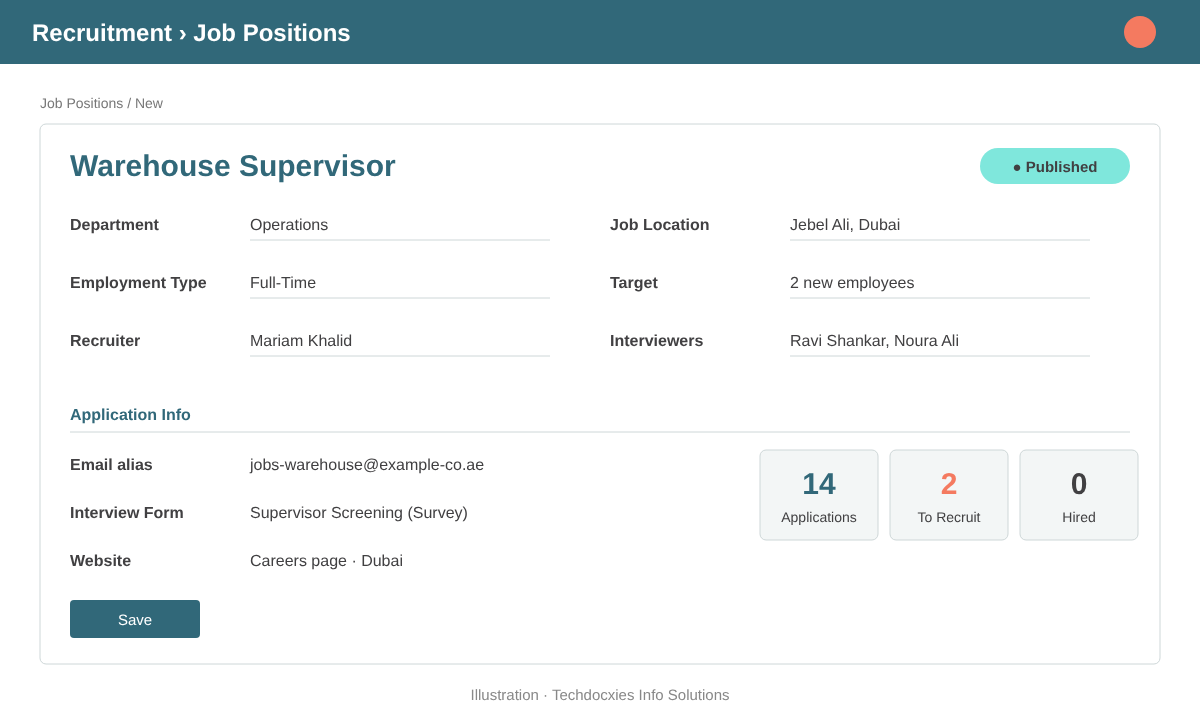
A job position with recruiter, interviewers, email alias and hiring target
Gulf Horizon creates separate positions for "Warehouse Supervisor – Jebel Ali" and "Sales Executive – Dubai". Splitting by location lets each branch manager follow only their roles, and the dashboard shows open applications per job at a glance.
Step 3: Design Your Hiring Stages
Open the applications of any job in kanban view. Each column is a stage: New, Initial Qualification, First Interview, Second Interview, Contract Proposal and Contract Signed are the defaults. Add, rename or fold columns from the kanban view. Keep the stage list short and match it to real decisions, not to every email you send. For each stage you can attach an email template, so candidates get an automatic acknowledgement or interview invitation when they move forward.
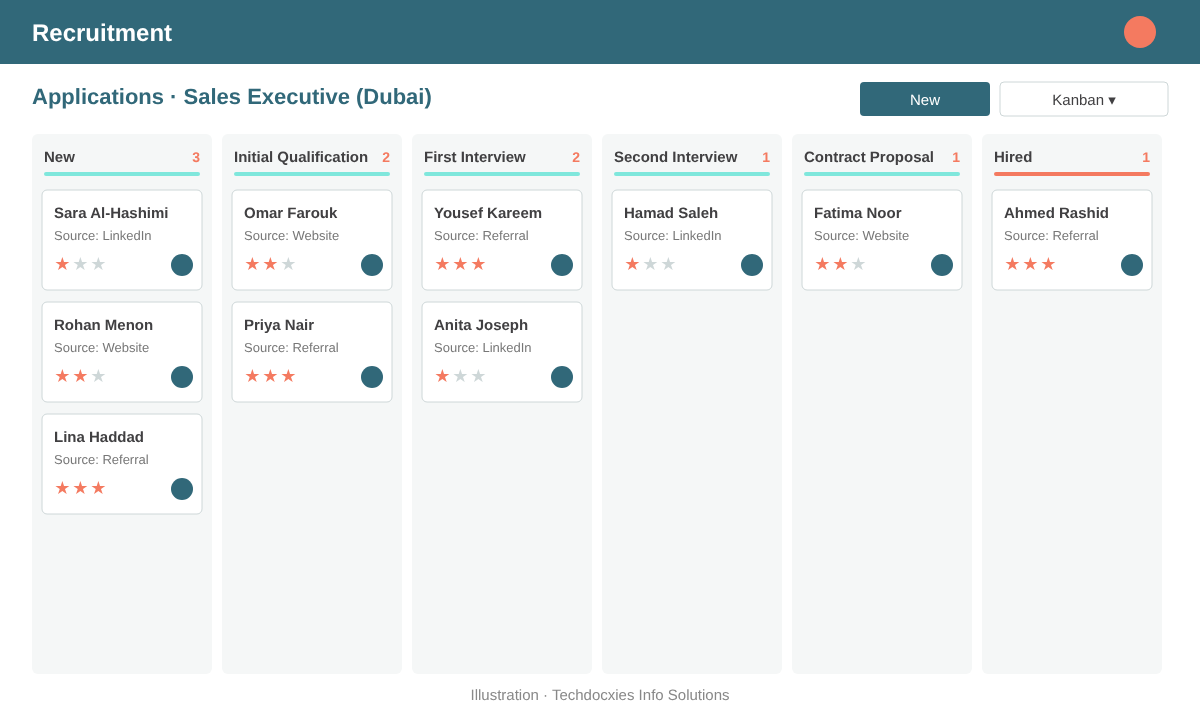
Applications moving through the hiring pipeline in kanban view
Use the evaluation stars to rate each applicant, tags for skills (for example "Arabic speaker", "Forklift licence", "GCC driving licence") and the source field to see whether LinkedIn, the careers page or referrals bring you better hires.
Step 4: Schedule Interviews and Collect Feedback
From an application, the Meeting smart button opens the calendar with the candidate and interviewers already filled in. If Outlook or Google Calendar sync is configured, invitations reach everyone's own calendar. When a job has an interview form, interviewers fill it from the application, so every candidate is scored against the same questions. Notes and ratings stay in the chatter, which gives the hiring manager the full history in one place.
Pro tip: Use the Refuse button with a clear refuse reason instead of simply archiving applications. Odoo can send a polite rejection email from the reason's template, and over time the refuse reasons tell you why roles are hard to fill: salary expectations, notice period, or missing licences.
Step 5: Make the Offer and Create the Employee
When a candidate reaches Contract Proposal, record the expected and proposed salary on the application. With the Enterprise salary configurator, you can send an offer link that the candidate reviews and accepts online, with signature handled through Odoo Sign. Once hired, move the application to the hired stage and click Create Employee. Odoo opens a new employee form pre-filled with the name, contact details, job position and department from the application.
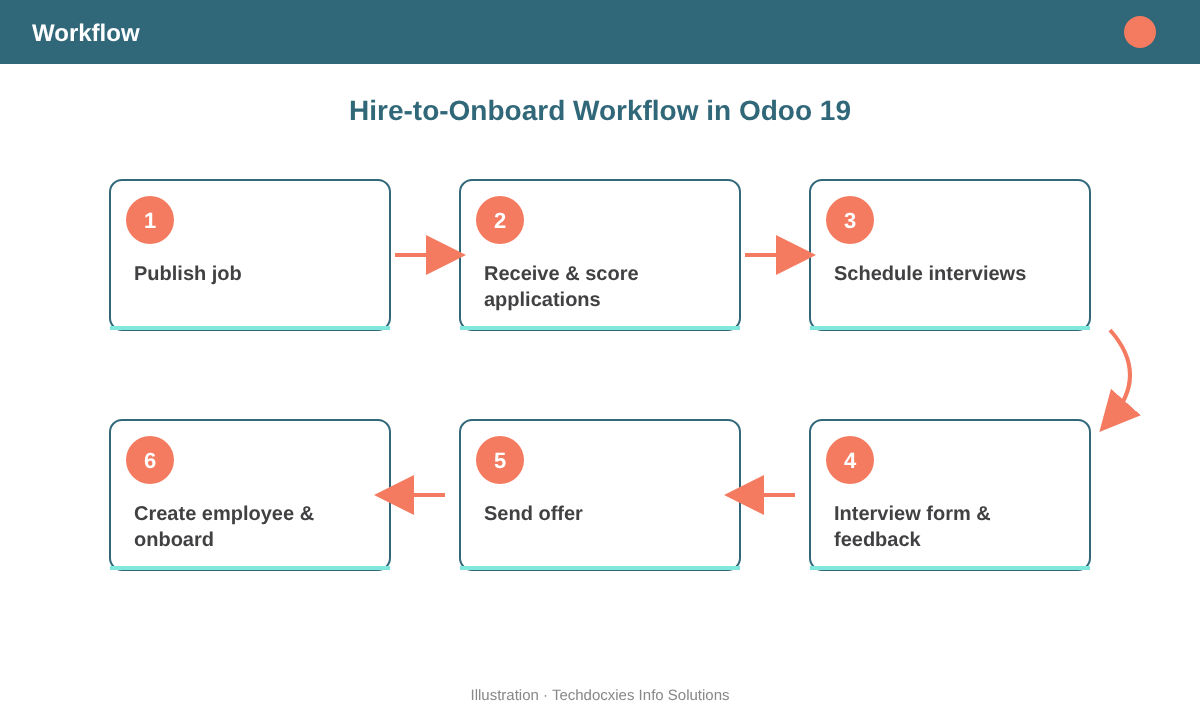
From job posting to onboarding: the six-step hiring flow in Odoo 19
From there, HR completes the contract details, working schedule and payroll data, and can launch an onboarding plan from the employee so IT, admin and the line manager each get their own activities.
Watch out: Candidate data is personal data. Restrict the Recruitment access rights so that only recruiters and the relevant managers see CVs and salary expectations, and agree a retention period for refused applications in line with local data-protection rules such as the UAE PDPL and Saudi PDPL. Don't give every interviewer full Recruitment Administrator rights.
Step 6: Track Results with Reporting
Under Recruitment › Reporting, analyse applications by job, stage, source and recruiter. Look at time to hire, how many applications each source produced, and where candidates drop out of the pipeline. Gulf Horizon found that referrals made up only 15% of applications but nearly half of hires, so it introduced a referral bonus for staff.
Go-Live Checklist
| Area | What to confirm | Owner |
|---|---|---|
| Departments & managers | All departments created with managers linked to users | HR |
| Job positions | Recruiter, interviewers, location, target and email alias set | HR / Hiring manager |
| Stages & templates | Stage list agreed; acknowledgement and interview emails tested | HR |
| Interview forms | Screening survey prepared per role family | Hiring manager |
| Careers page | Jobs published and apply form tested end to end | Marketing |
| Access rights | Recruiters vs. interviewers vs. administrators reviewed | IT / HR |
| Hand-over to Employees | Create Employee tested; onboarding plan ready | HR |
OUR EXPERTISE
How Techdocxies Helps with Odoo Recruitment
Techdocxies Info Solutions has delivered 50+ Odoo projects for trading, distribution and service businesses across the GCC and beyond. We don't just switch modules on — we map your real processes first, then configure, customise, migrate, train and back you with 24/7 support.
- Design job positions, hiring stages and email templates around your approval flow
- Set up branded careers pages and email aliases so every CV lands in Odoo
- Build interview forms and scorecards for consistent, fair evaluations
- Connect offers, Odoo Sign and onboarding plans for a smooth hand-over to HR and payroll
- Configure access rights, retention rules and recruitment dashboards for management