
Fuel receipts in glove boxes, hotel bills in WhatsApp chats and a monthly Excel sheet that finance re-keys line by line: that is how expense claims still work in many GCC companies. Odoo 19 Expenses replaces all of it with one flow, from receipt to approval to accounting entry to reimbursement, with VAT captured correctly and every claim traceable. This guide walks through a practical setup, using an invented Muscat distributor, Gulf Horizon Trading LLC, as the example.
Step 1: Install Expenses and Switch On the Right Settings
Install the Expenses app from Apps, then open Expenses › Configuration › Settings. The settings worth reviewing on day one are:
- Expense Digitalization (OCR): employees snap a photo of a receipt and Odoo reads the amount, date and vendor. It uses Odoo IAP credits, so budget for them.
- Incoming emails: set an expense email alias so staff can forward receipts from their phone or inbox and a draft expense is created automatically.
- Reimburse in Payslip (when Payroll is installed): approved expenses can be added to the next payslip instead of a separate bank transfer.
- Default journals: choose which journal records employee-paid expenses and which payment method records company-paid ones (for example a corporate card account).
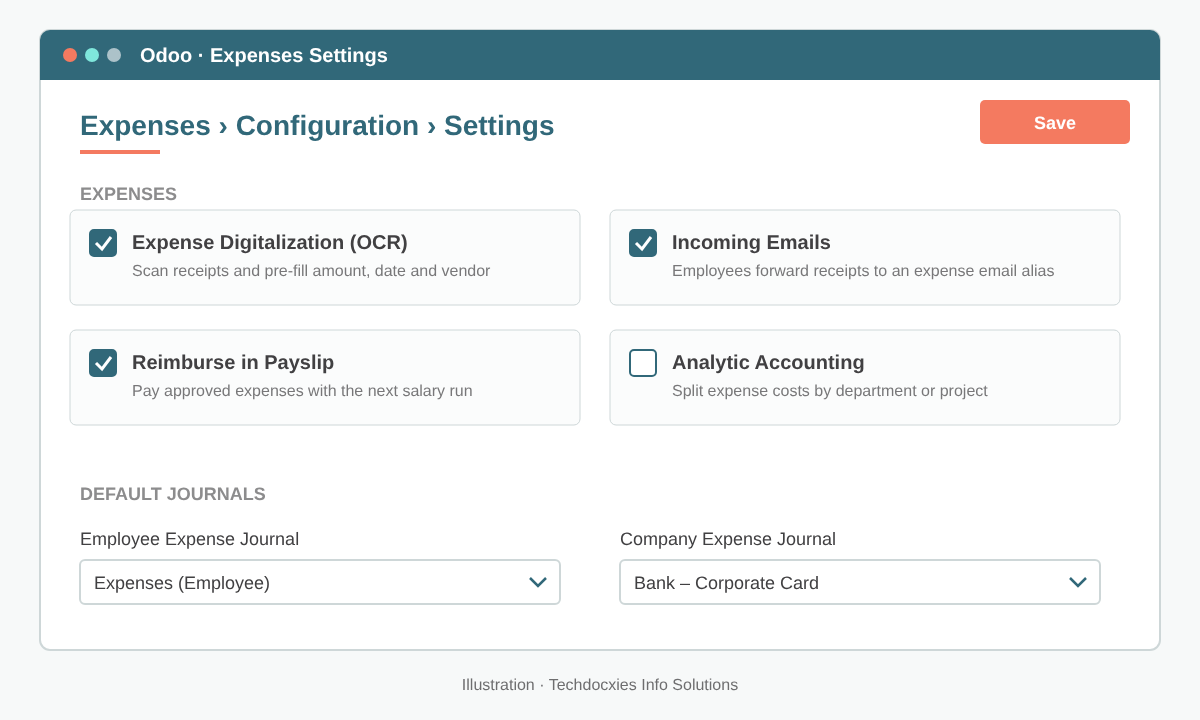
Expenses settings: digitisation, email alias, payslip reimbursement and default journals.
Step 2: Build Expense Categories That Match Your Chart of Accounts
Go to Expenses › Configuration › Expense Categories. Each category is really a product with an expense account, a default tax and an optional fixed cost. Gulf Horizon keeps the list short and tied to its chart of accounts:
| Category | Expense account | Default tax | Cost rule |
|---|---|---|---|
| Fuel & Tolls | Vehicle Running Costs | VAT 5% (input) | Actual amount |
| Mileage (private car) | Vehicle Running Costs | No VAT | Fixed rate per km |
| Hotel & Accommodation | Travel Expenses | VAT 5% (input) | Actual amount |
| Client Entertainment | Entertainment | VAT blocked / non-recoverable | Actual amount |
| Per Diem – Overseas | Travel Expenses | No VAT | Fixed daily amount |
Setting a cost on the category (for mileage or per diem) turns it into a quantity-times-rate claim, so the employee enters kilometres or days and Odoo computes the total.
Pro tip: Name categories the way employees talk ("Fuel & Tolls", not "6110-Vehicle"). The account mapping happens behind the scenes, so staff pick the right category and finance gets the right GL code without retraining anyone.
Step 3: Set Approvers on Each Employee
Approval routing comes from the employee record. Open Employees › [employee] › Work Information and set the Expense approver under the approvers section. Usually this is the line manager, and if it is left empty the employee's manager is typically used. Give the team leaders who approve claims the right access level in Settings › Users & Companies › Users for the Expenses app: "Team Approver" lets them approve their own team, and "All Approver" or "Administrator" is for finance.
Step 4: Let Employees Capture and Submit Claims
From Expenses › My Expenses (or the Odoo mobile app), an employee uploads a receipt or creates a new expense. They choose the category, check the total and tax, and set Paid By: Employee if it needs reimbursing, Company if it went on a company card. They can also add an analytic distribution so the cost lands on the right department, branch or project.
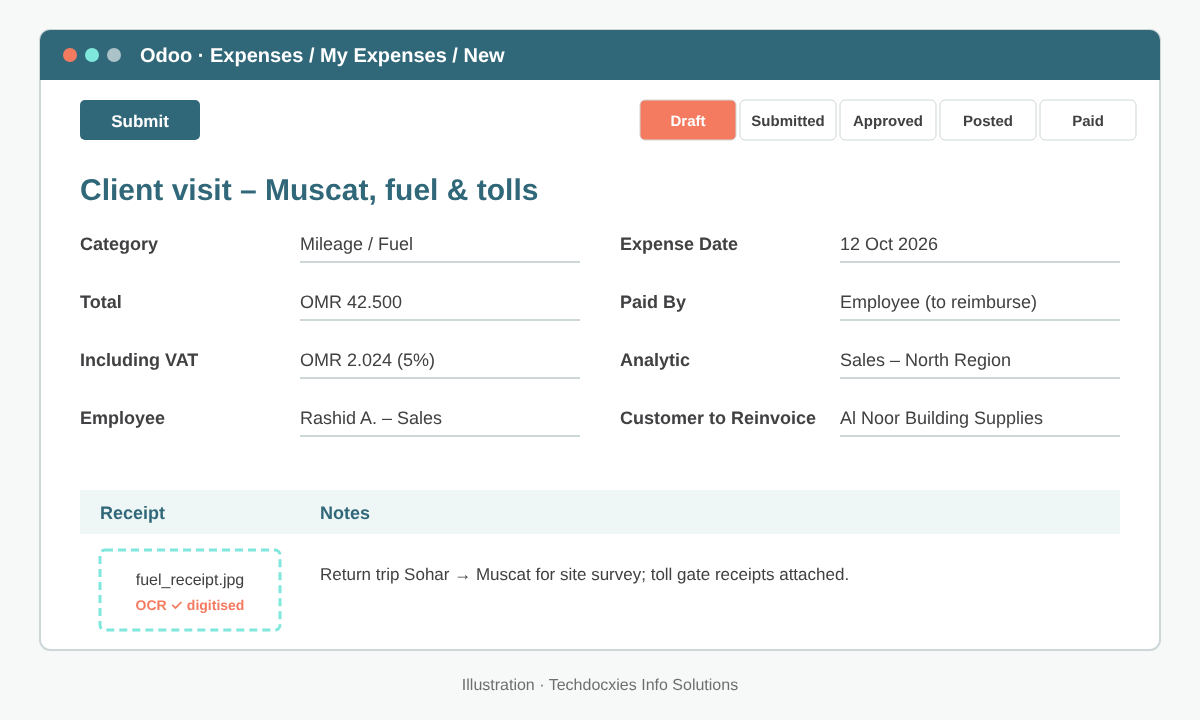
An expense with category, VAT, analytic distribution, a customer to re-invoice and the digitised receipt attached.
If the cost should be billed on, for example a site visit for a customer project, link the sales order. Categories configured to re-invoice (at cost or at sales price) will add the expense to that order for invoicing.
Step 5: Approve, Post and Reimburse
Approvers see pending claims in the Expenses app and can approve or refuse with a reason recorded in the chatter. Finance then posts the approved expenses to accounting, which creates the journal entry with the expense account, recoverable VAT and a payable to the employee. Reimbursement is either a normal payment registered from the expense (bank transfer, or a batch payment for many employees) or a line on the next payslip if you enabled that option.
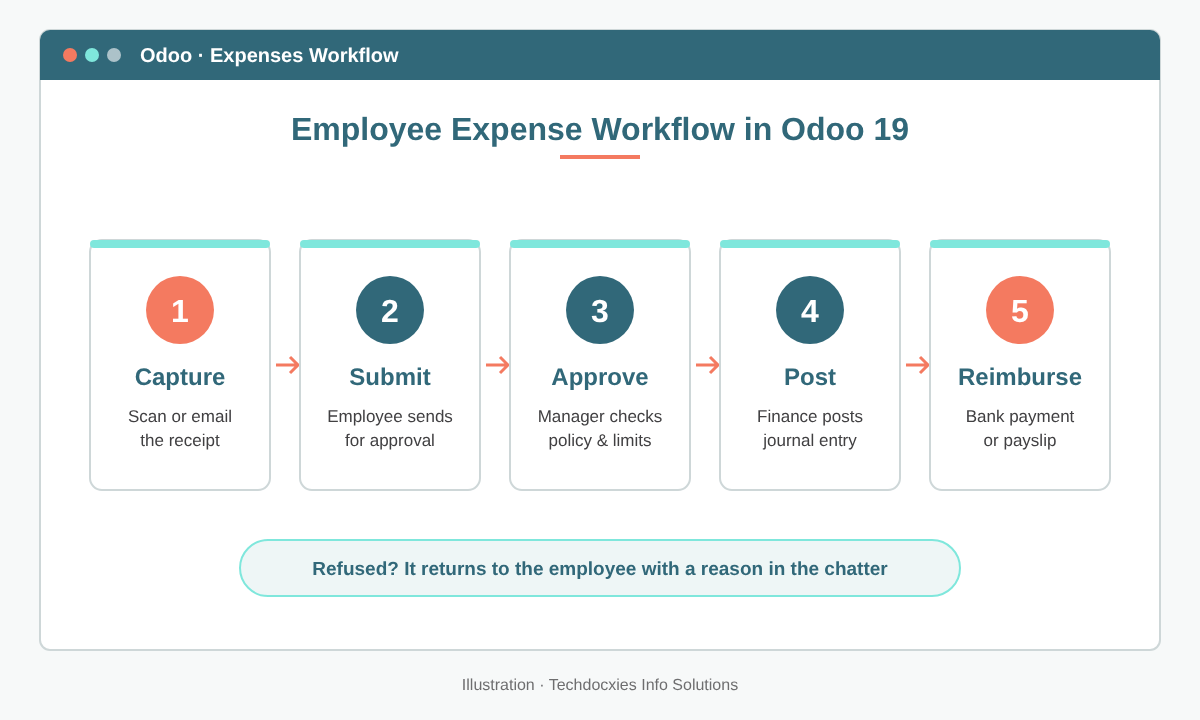
The five-stage flow from receipt capture to reimbursement.
Watch out: Under GCC VAT rules, input VAT is only recoverable with a valid tax invoice in the company's name, and some costs (such as entertainment) are blocked. Don't give every category a recoverable 5% tax by default. Map blocked categories to a non-recoverable tax, and have approvers reject receipts that aren't proper tax invoices before they reach your VAT return.
Step 6: Report, Control and Improve
Use Expenses › Reporting to analyse spend by category, employee, department or analytic account, and to spot claims waiting too long for approval. Before go-live, run through this checklist:
- ☑ Every category has an expense account and the correct (recoverable or blocked) tax
- ☑ Mileage and per diem rates match your HR travel policy
- ☑ Each employee has an expense approver and a private bank account for reimbursement
- ☑ The expense email alias is tested from a phone
- ☑ Re-invoiceable categories are linked to the right pricing method
- ☑ Finance has a weekly routine to post approved expenses and pay them in one batch
Done properly, month-end expense processing goes from days of re-keying to a quick review, and every riyal claimed comes with a receipt, an approver and an accounting trail.
OUR EXPERTISE
How Techdocxies Helps with Odoo Expenses
Techdocxies Info Solutions has delivered 50+ Odoo projects for trading, distribution and service businesses across the GCC and beyond. We don't just switch modules on — we map your real processes first, then configure, customise, migrate, train and back you with 24/7 support.
- Expense categories mapped to your chart of accounts with correct recoverable and blocked VAT
- Multi-level approval rules, spending limits and policy checks built around your travel policy
- Mileage, per diem and overseas travel rates configured per grade or region
- Reimbursement through bank batch payments or payroll, integrated with WPS-ready salary runs
- Mobile receipt capture rollout and short training sessions for employees and approvers