
Annual reviews kept in spreadsheets and email threads rarely survive a busy year. Ratings get lost, goals are forgotten by March, and HR spends weeks chasing managers in December. Odoo 19 Appraisals moves the whole cycle — scheduling, self-review, manager feedback, goals, skills and final ratings — into one place linked to the employee record. This guide walks through a practical setup for a GCC trading or services company.
Step 1: Install Appraisals and Review the Settings
Install the Appraisals app from Apps. It builds on the Employees app, so make sure departments and managers are set on each employee first — Odoo uses the employee's manager to decide who reviews whom. Then open Appraisals › Configuration › Settings.
The key options here are the appraisal plan (how many months after joining the first review happens, and how often it repeats), the default feedback templates for employees and managers, and — if the Surveys app is available — 360° feedback, which lets you invite colleagues to answer a short survey as part of the review.
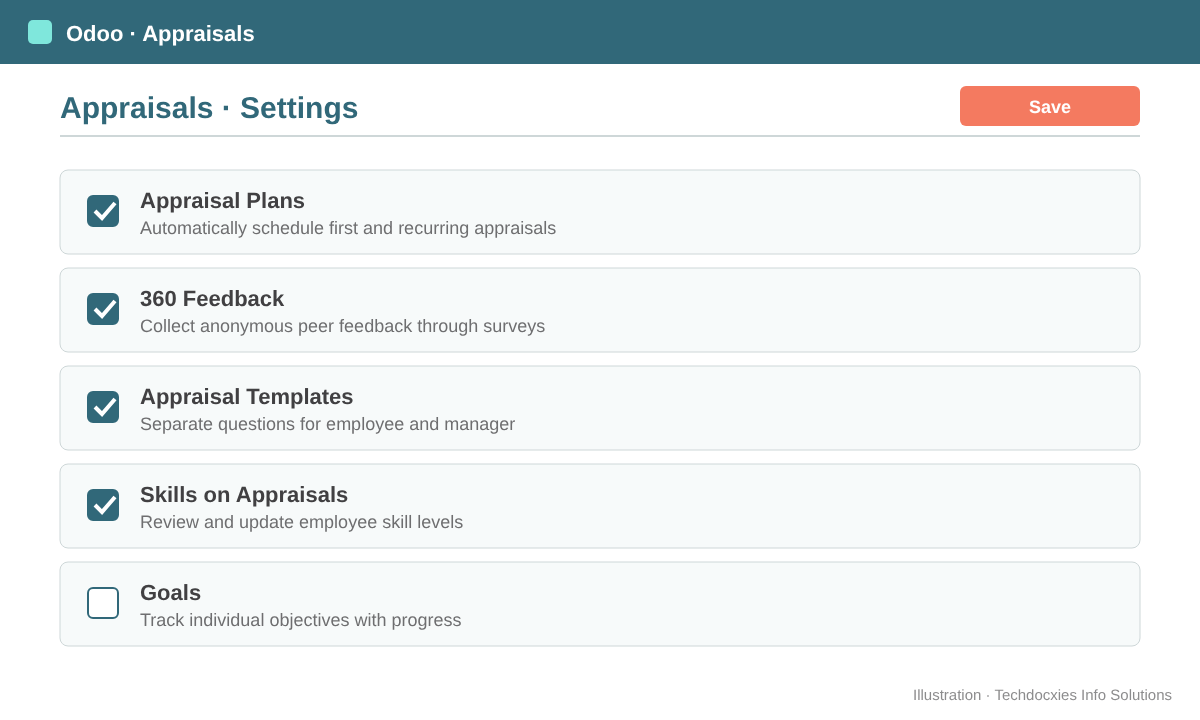
Turn on appraisal plans, templates and 360° feedback before you launch the first cycle.
Step 2: Define Your Appraisal Plan
Most GCC companies run a probation review and then an annual review. A common plan is a first appraisal 6 months after the employee's start date, then every 12 months. When the plan is active, Odoo calculates the next appraisal date on each employee and creates the appraisal automatically when it is due, so nobody has to remember. You can still create one-off appraisals from Appraisals › Appraisals with the New button — useful for promotions or performance improvement plans.
Example: Al Noor Distribution LLC, a Dubai-based FMCG distributor with 85 staff, uses a 3-month probation check (created manually), then the automatic 12-month cycle aligned to each employee's joining anniversary. This spreads review work across the year instead of piling it into December.
Step 3: Build Feedback Templates That Fit Your Roles
Appraisals come with two text areas: one for the employee's self-assessment and one for the manager. Edit the default templates in the settings so both sides answer the same structured questions. Keep them short — five or six questions get far better answers than twenty.
| Section | Employee asks themselves | Manager answers |
|---|---|---|
| Results | What did I deliver against my goals? | Which goals were met, missed or exceeded? |
| Behaviours | Where did I show ownership and teamwork? | Examples of values in action (or not) |
| Skills | What did I learn? What do I need? | Skill gaps and recommended training |
| Next period | My top three goals | Agreed goals and support needed |
| Overall | — | Final rating and recommendation |
If a department needs different questions — for example, sales staff whose results are mostly targets and commissions — you can maintain a separate template per department, so each review opens with the right questions.
Pro tip: Hide the manager's section from the employee until the review meeting. Odoo lets the manager keep their feedback private and publish it when ready, so the self-assessment isn't influenced by the manager's view — and the meeting becomes a real conversation.
Step 4: Set Goals That People Can Track
Under Appraisals › Goals, managers create goals for each employee with a deadline and a progress level. Link them to the measurable things your business already tracks in Odoo: on-time deliveries, collection days, stock-count accuracy or sales targets. Goals stay on the employee across cycles, so the next appraisal starts with a clear record of what was promised and what happened.
Step 5: Run the Review Cycle
Once an appraisal is created, the employee and manager receive an activity. The flow is simple:
- Self-review — the employee fills their template.
- Manager review — the manager completes feedback, checks goals and updates skills.
- 360° input — optional survey answers from peers are attached to the appraisal.
- Meeting — schedule it straight from the appraisal so it lands in both calendars.
- Done — set the final rating and mark the appraisal done; the next date is calculated.
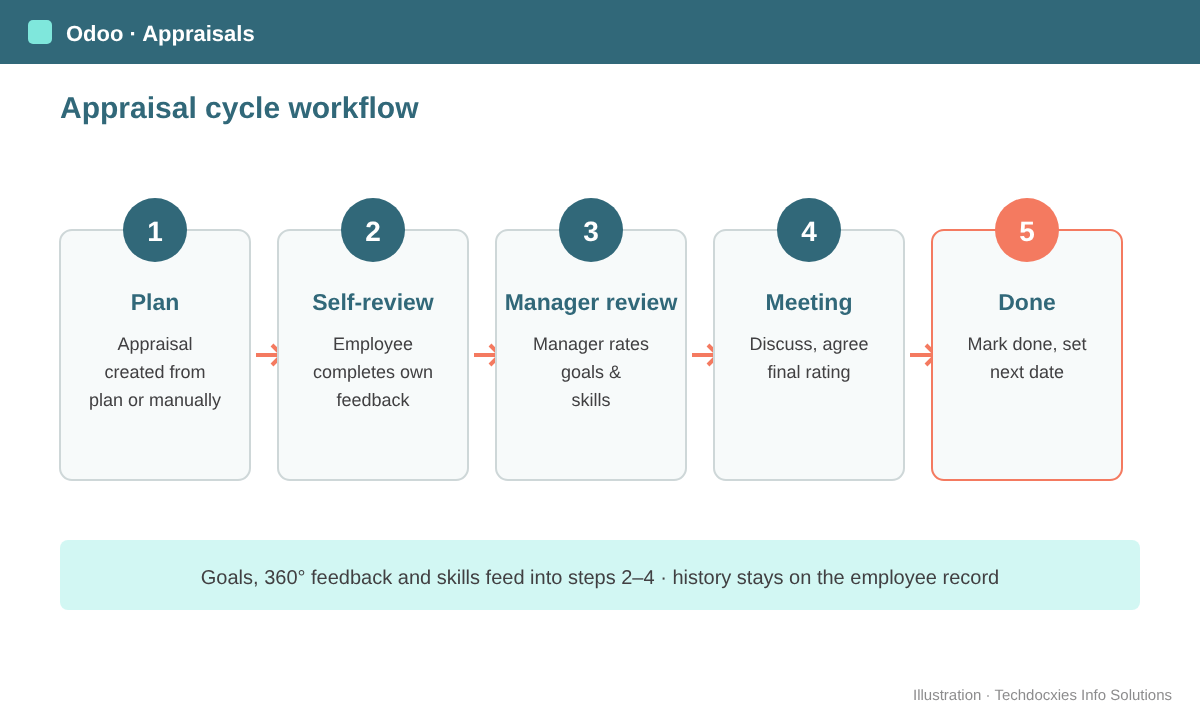
A typical Odoo appraisal cycle, from automatic creation to final rating.
Watch out: Appraisals are only as good as your employee data. If the Manager field is empty or still points to someone who has left, appraisals go to the wrong person or nobody at all. Run a quick clean-up in Employees — group by manager — before switching on automatic plans.
Step 6: Connect Skills and Training
When the Skills feature is used, the manager can review and update the employee's skill levels directly in the appraisal. Combined with the eLearning app, gaps found in a review can turn into assigned courses — for example, a warehouse supervisor flagged for "Inventory adjustments" is enrolled in your internal stock-count course the same week.
Step 7: Report and Calibrate
Use the list and reporting views under Appraisals to group by department, manager or status. Before final ratings are shared, HR and department heads should run a short calibration meeting so one generous manager doesn't skew results. Use the analysis to check that every overdue appraisal has an owner and that ratings are spread sensibly across teams.
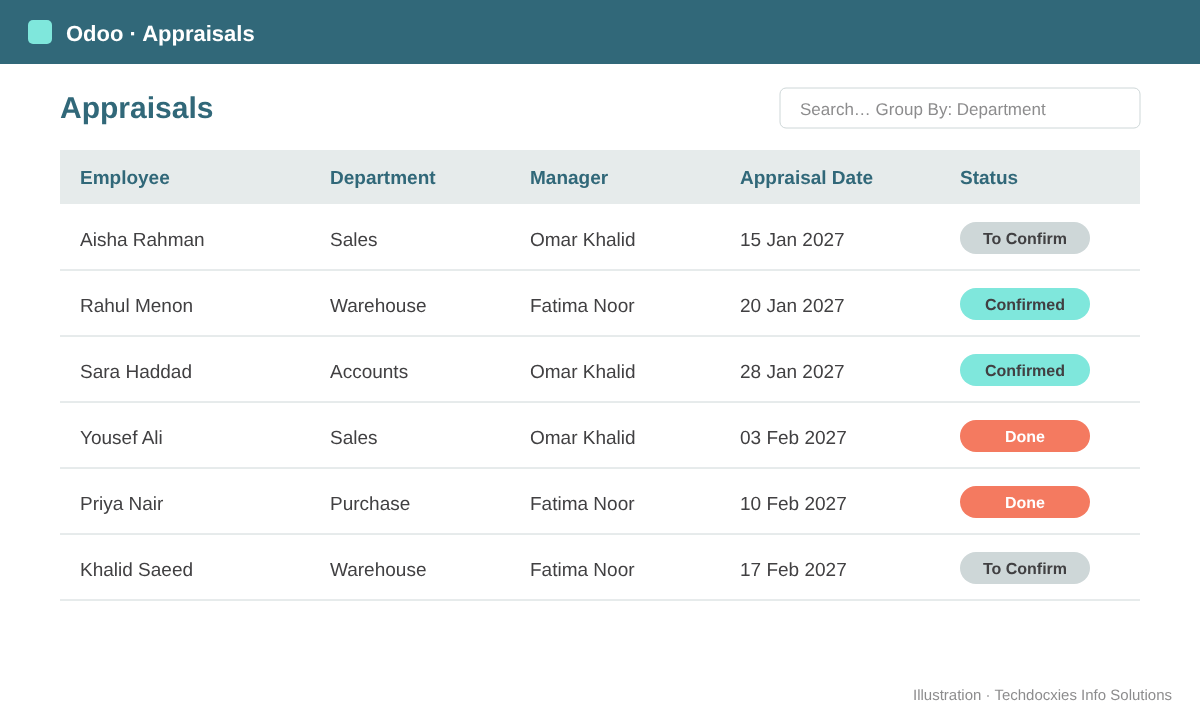
Group appraisals by department or manager to spot overdue reviews before they pile up.
Go-live checklist
- Managers and departments correct on every employee
- Appraisal plan months agreed with HR and management
- Employee and manager templates reviewed (and per-department versions where needed)
- Goals entered for the current period
- 360° survey drafted and tested, if used
- Managers trained on privacy of their feedback and the review meeting flow
- Access rights checked so employees see only their own appraisals
OUR EXPERTISE
How Techdocxies Helps with Odoo Appraisals
Techdocxies Info Solutions has delivered 50+ Odoo projects for trading, distribution and service businesses across the GCC and beyond. We don't just switch modules on — we map your real processes first, then configure, customise, migrate, train and back you with 24/7 support.
- Design appraisal plans for probation, annual and mid-year reviews
- Build role-based feedback templates and 360° surveys
- Link goals to real KPIs from Sales, Inventory and Accounting
- Map skills and training paths with eLearning
- Clean up employee and manager data before go-live, and train your managers